
Creel
Just creel it.
A fast, 100% private, local file converter for Windows and Linux. Convert documents, images, audio, and video — all on your own machine. No file uploads. No cloud servers. No ads.
Just creel it.
A fast, 100% private, local file converter for Windows and Linux. Convert documents, images, audio, and video — all on your own machine. No file uploads. No cloud servers. No ads.
Fully self-contained packages. All conversion engines (LibreOffice, FFmpeg, Pandoc, QPDF, Tesseract OCR, and pdf2docx) are bundled directly inside — zero external dependencies needed.
Complete installer with Explorer right-click integration, auto-updater, start menu shortcuts, and CLI support.
Download Windows Installer (.exe)Native Debian/Ubuntu (.deb) package, plus standalone AppImage compatible across modern Linux distributions.
macOS .dmg build is in active development. View full release notes, SHA-256 checksums, and issue tracking on GitHub.
View All Releases on GitHub ↗The Windows installer bundles every required engine directly into the application directory. No Python, separate runtime, or command-line setup is needed. Because Ellijay Labs is an indie developer without an expensive enterprise certificate, Windows Defender SmartScreen may display a prompt ("Windows protected your PC"). Click More info and Run anyway. You can verify SHA-256 hashes against GitHub anytime.
Multilingual localization across 6 languages, full two-way WebP conversions, and enhanced diagnostic reporting.
Full localized interface across 6 languages: English, Spanish (Español), French (Français), German (Deutsch), Russian (Русский), and Simplified Chinese (简体中文). Switch languages instantly in Settings without restarting the app.
Resolved format requirement errors on .webp conversions. Full two-way conversion support added between WebP and JPG, PNG, GIF, TIFF, BMP, and PDF, with WebP seamlessly integrated into Studio Mode and Batch Queue.
Improved error logging in Simple Mode so bug reports and exported system diagnostics capture exact failure details for quick troubleshooting.
Everything you need to convert, organize, and optimize files locally on your desktop.
Right-click supported files directly in File Explorer to convert to PDF, DOCX, JPG, PNG, MP4, or extract MP3 in seconds without launching the app window.
Convert multiple files simultaneously across different formats with real-time progress bars, individual file statuses, and queue controls (pause, resume, cancel).
High-fidelity reverse document conversion from PDF back into formatted Microsoft Word (.docx) documents with preserved layouts, fonts, and tables.
Visual page organizer to reorder, rotate (90° / 180° / 270°), or delete pages. Extract page ranges, merge multiple PDFs, split documents, and stamp custom text watermarks.
One-click presets for Fast 1080p, Discord compression (under file upload limits), High Quality 4K, and audio extraction (MP3) with manual codec, CRF, and bitrate controls.
Built-in Tesseract OCR engine with bundled language datasets to extract editable text from scanned documents and images completely offline.
Headless conversion command-line interface with native Windows desktop toast notifications upon completion, perfect for automation and scripting.
One-click background updates keep Creel current with the latest engine builds, plus integrated diagnostics to easily report bugs and export system status.
Free online web converters upload your sensitive files to remote third-party servers, queue your jobs, enforce tiny size limits, and bombard you with ads. Creel does everything locally on your device.
| Feature | 🌐 Online Converters | 🛡️ Creel |
|---|---|---|
| 🔒 Privacy & Security | ❌ Uploaded to remote third-party servers | 🟢 100% on-device (Files never leave your PC) |
| 📶 Internet Required | ❌ Mandatory high-speed upload & download | 🟢 Works 100% Offline |
| 📦 File Size Limit | ⚠️ Capped at 25MB – 100MB unless paid | 🟢 Unlimited (Bounded only by your disk space) |
| ⚡ Conversion Speed | ⏳ Slow: Upload → Wait in Queue → Download | 🟢 Instant local multi-core CPU / GPU processing |
| 🚫 Ads & Tracking | 🪤 Aggressive display ads, trackers, captchas | 🟢 Zero ads on desktop, zero telemetry |
| 👤 User Accounts | 📝 Often required or paywalled | 🟢 No account needed — download and run |
A clean, dark-mode native interface engineered with Flutter for smooth, hardware-accelerated rendering.
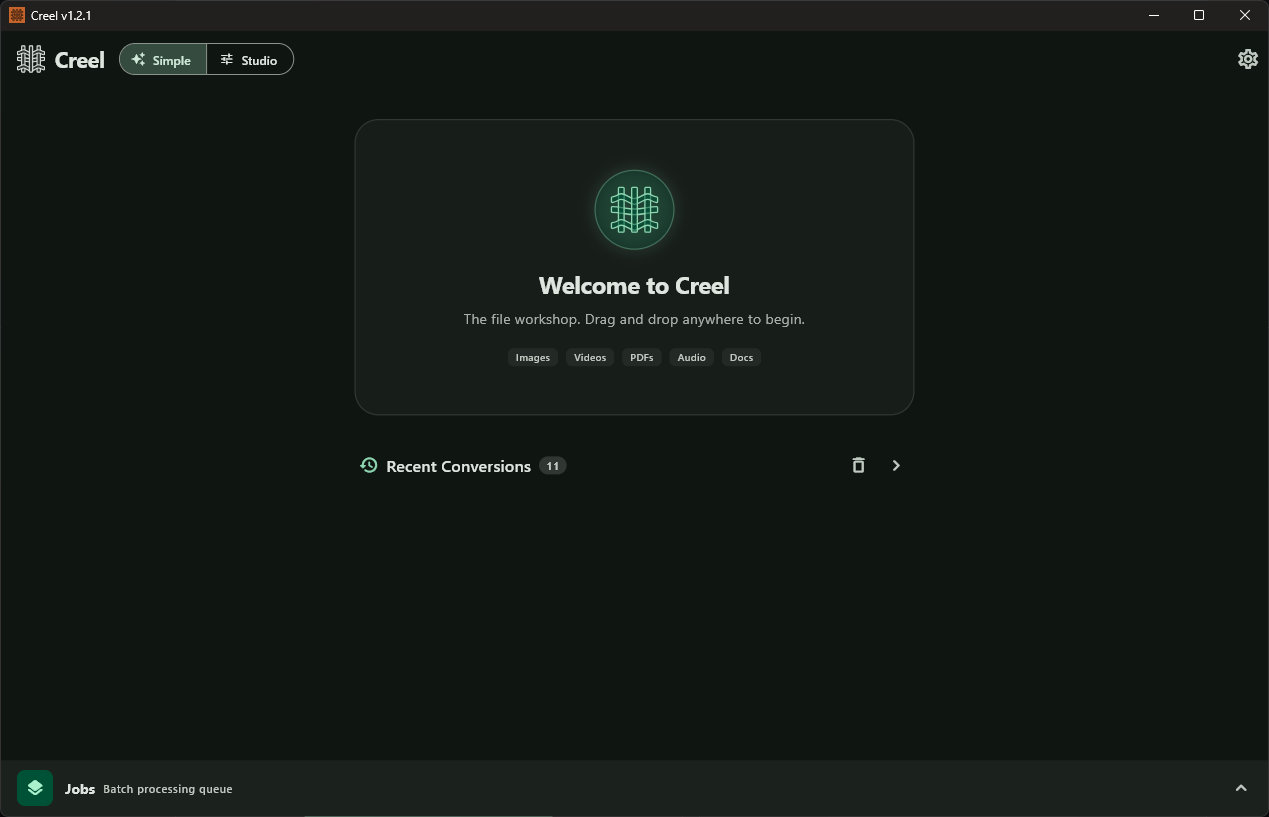
Clean, distraction-free drag & drop workspace with quick format filters and recent conversion history.
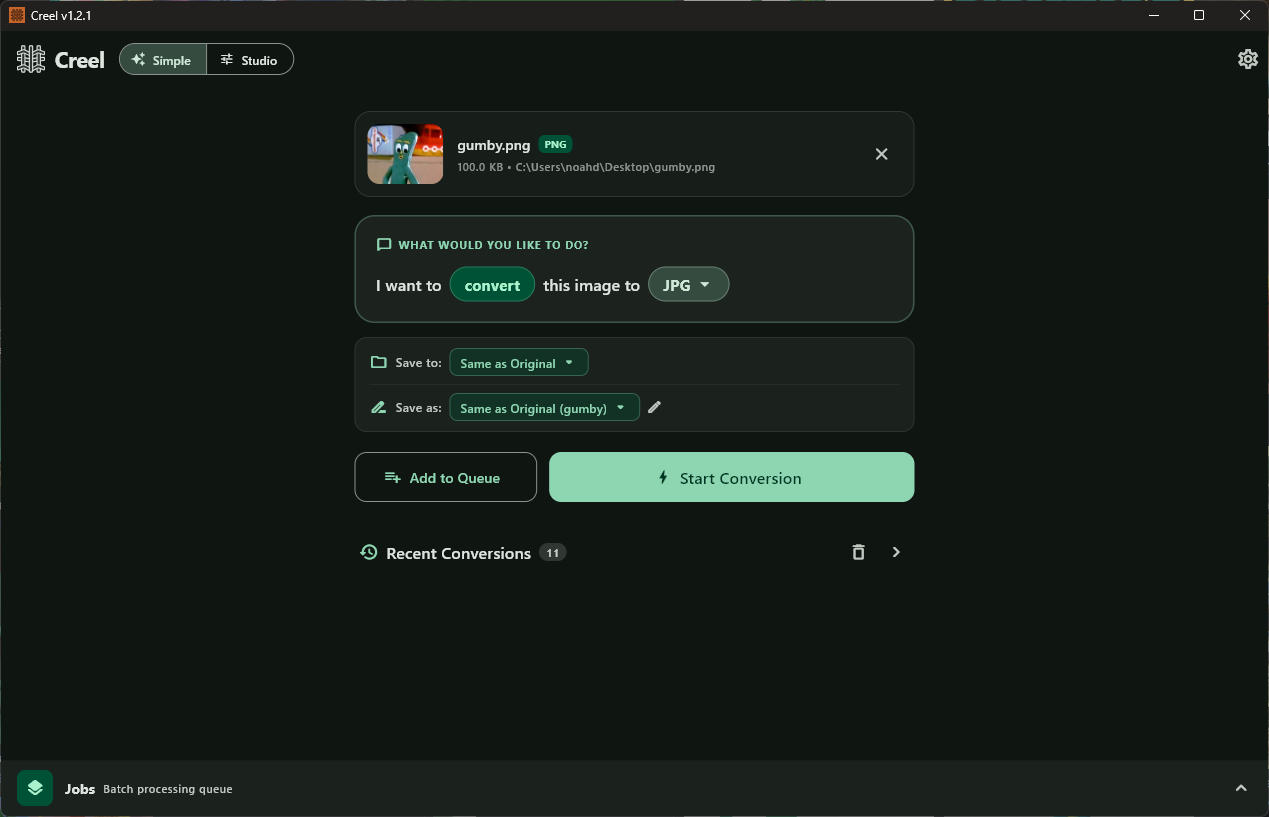
Intuitive target format selection, custom naming, destination routing, and instant one-click execution.
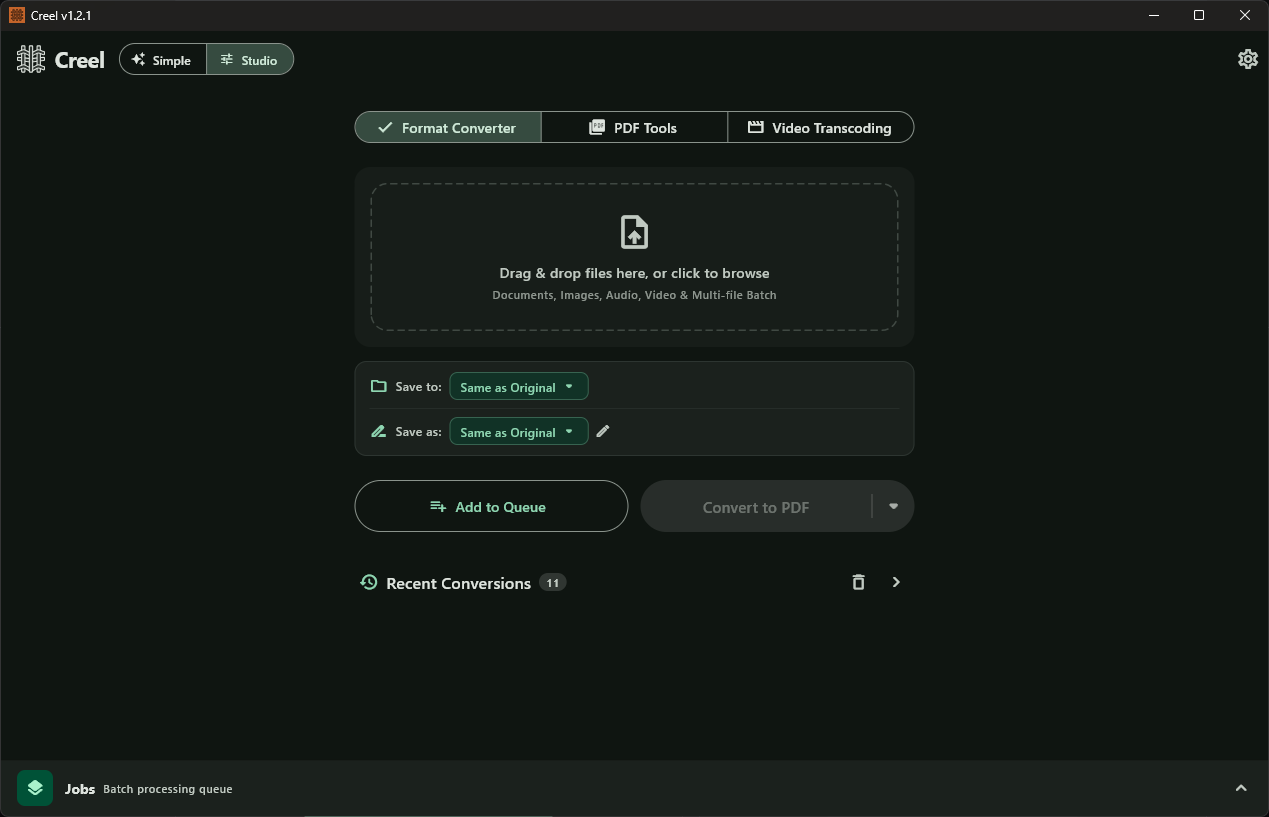
Advanced multi-file queues, batch processing controls, format converter, and dedicated workflow toolbars.
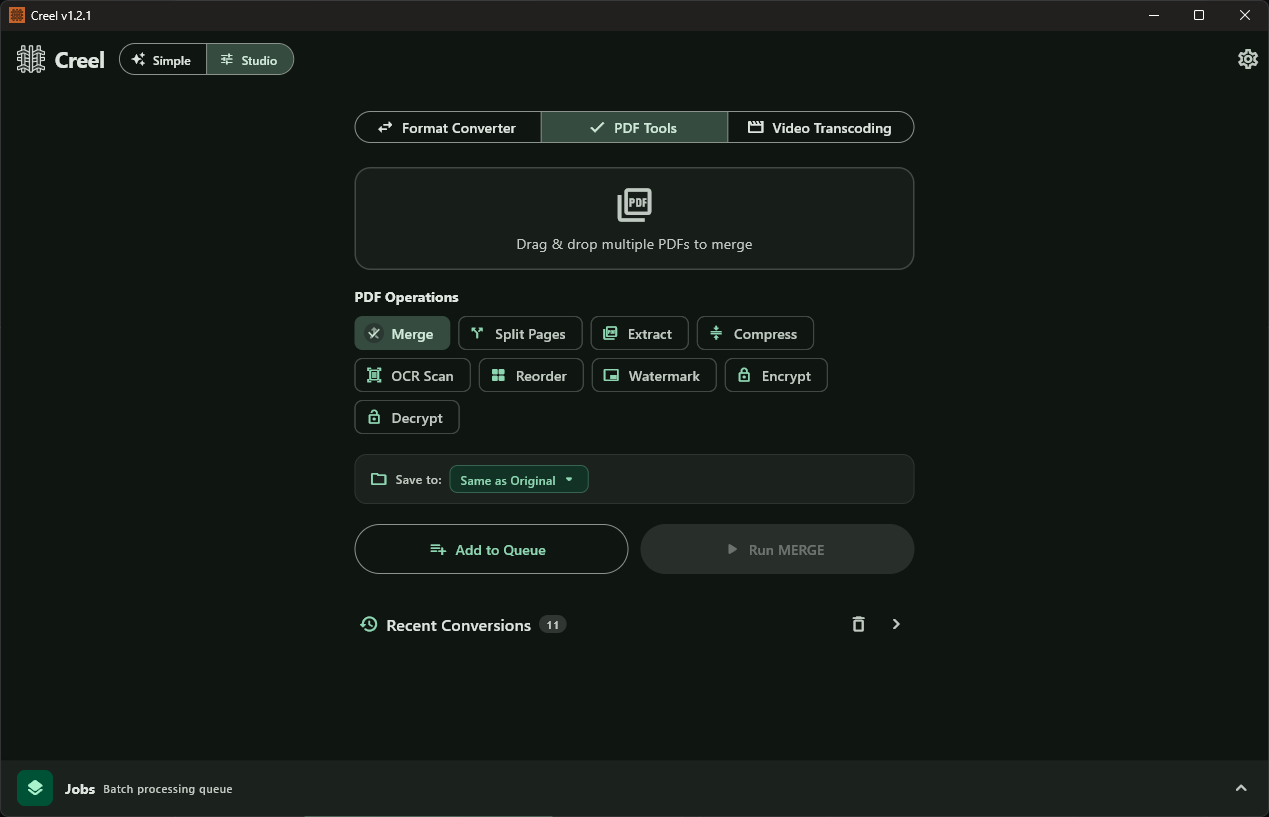
Merge, split pages, extract, compress, OCR scan, reorder, watermark, encrypt, and decrypt PDFs locally.
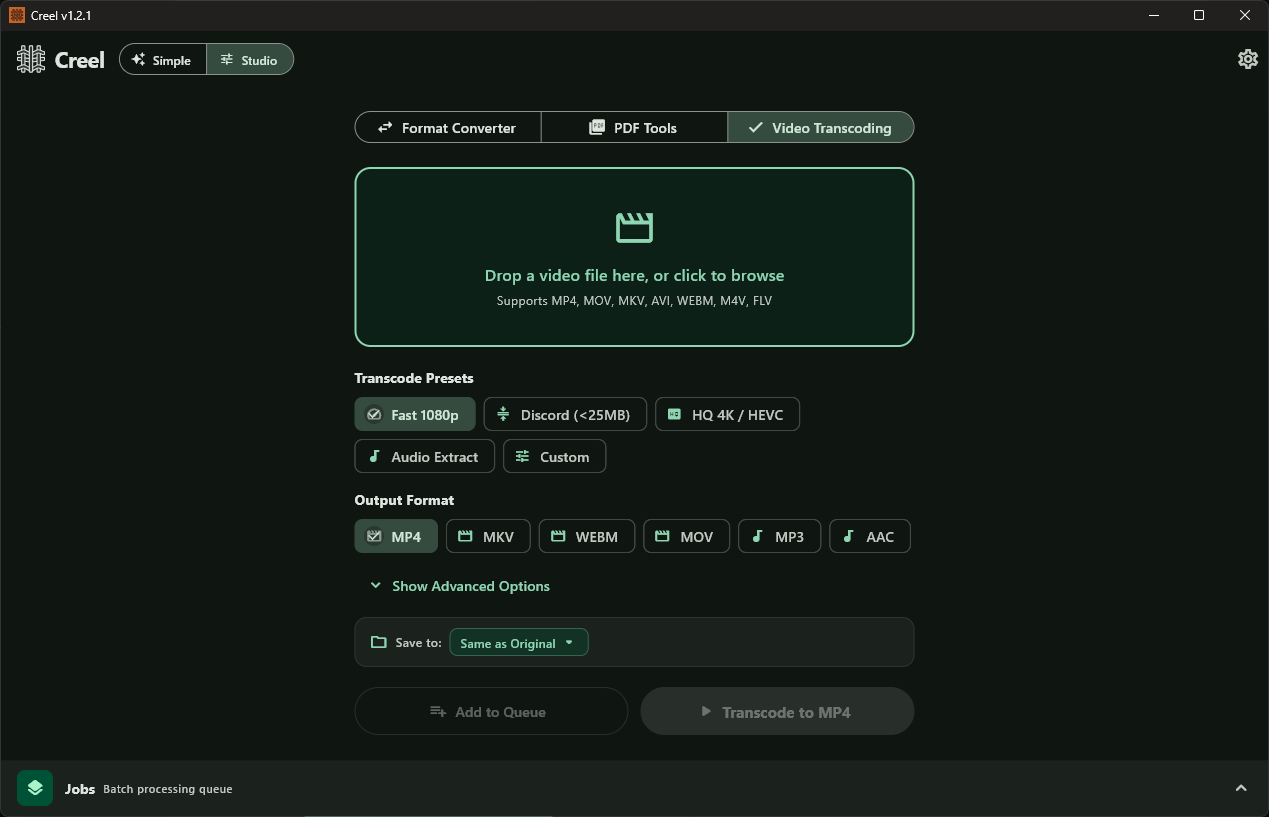
One-click presets for Fast 1080p, Discord compression (<25MB), HQ 4K / HEVC, and audio extraction.
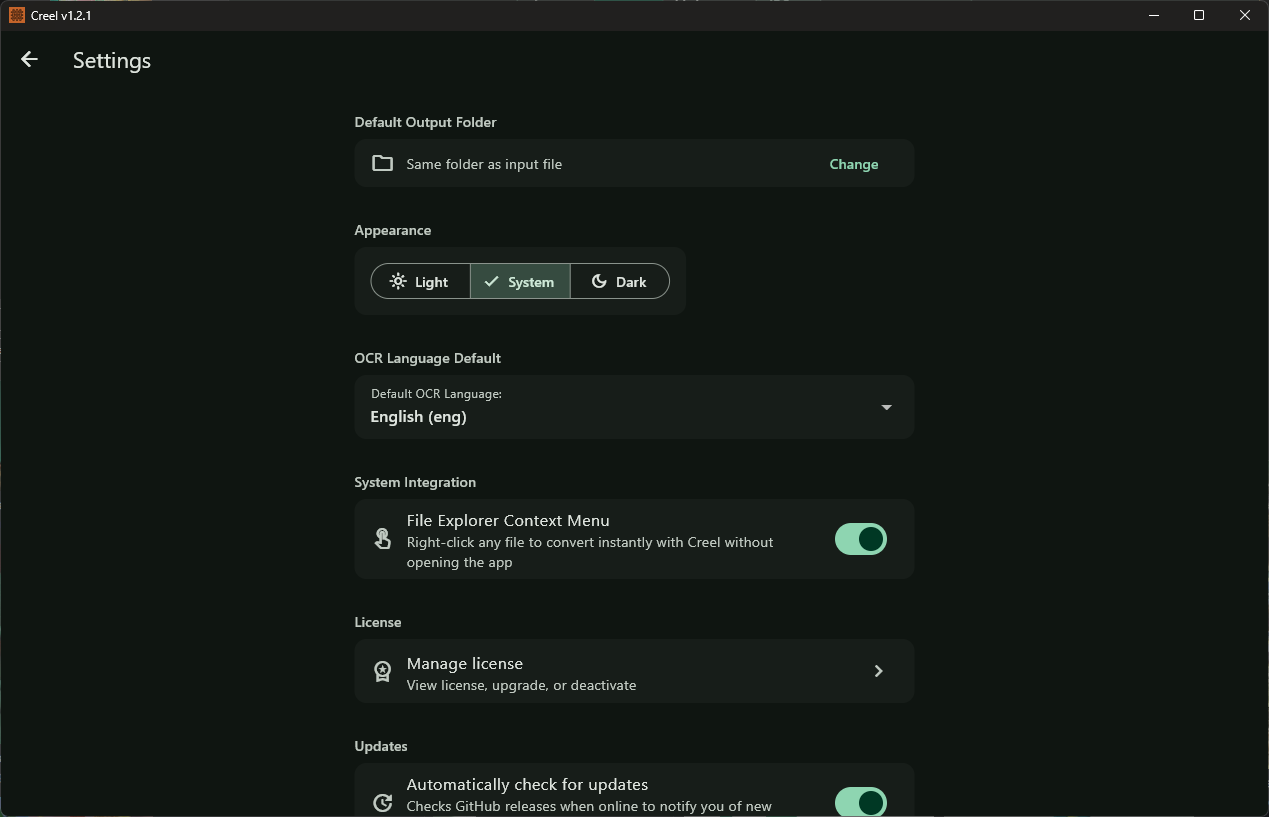
Instant language switcher across 6 languages, Windows File Explorer right-click toggle, default OCR languages, and auto-updates.
Creel handles hundreds of permutations across all major file types — completely offline.
Powered by LibreOffice SDK and Pandoc.
Powered by QPDF, pdf2docx, and Tesseract OCR.
Full two-way conversions across raster and modern web formats.
Powered by the industry-standard FFmpeg engine.
Runs natively on 64-bit desktop operating systems.
| Windows | Windows 10 / Windows 11 (64-bit, x64) |
|---|---|
| Linux | Ubuntu 20.04+, Debian 11+, Fedora 36+, Arch Linux (x86_64, glibc 2.31+) |
| macOS | macOS 12+ (Apple Silicon & Intel) — Coming Soon |
| Memory (RAM) | 4 GB minimum (8 GB recommended for 4K video transcoding) |
| Disk Space | ~500 MB (includes bundled LibreOffice, FFmpeg, Pandoc, Tesseract binaries) |
| Internet Connection | None required. Operates 100% offline. |
An unlimited free desktop converter. Upgrade to Pro once for lifetime perks and to support independent development.
Download Creel v1.2.2 today and convert all your files right on your desktop — fast, private, and offline.